Preparing a UK NDR submission involves more than transferring files. From seismic format compliance to metadata validation, we outline the key challenges companies face and the structured workflow required to...

Need to report area, length or filtered totals from GIS shapes in PRO? The Shape Summary tool in PRO v.2026.1.1 makes it easy to generate accurate statistics directly within your mapping workflow.
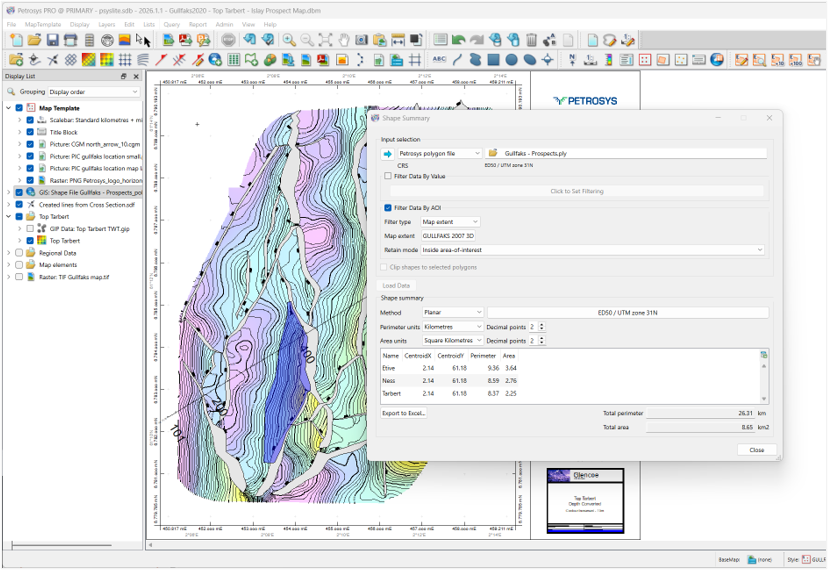
It’s a question many geoscientists ask, especially when preparing acreage reports, infrastructure summaries or spatial QC checks.
With the release of PRO v.2026.1.1, the answer is simple: yes.
The new Shape Summary functionality enables users to generate GIS shape statistics in PRO directly within their mapping workflows, removing the need for manual calculations or exporting data to external tools.
GIS data underpins many subsurface workflows, from licence analysis and acreage evaluation to infrastructure mapping and survey validation. However, extracting reliable statistics has often required additional processing steps.
Shape Summary streamlines this process.
By allowing users to generate GIS shape statistics in PRO within the mapping environment, the workflow remains controlled, repeatable and efficient.
Shape Summary works across all supported GIS shape types in PRO:
The statistics displayed automatically adapt to the input data type, ensuring relevant outputs for each workflow.
Flexible Filtering for Real-World Workflows
Before running a report, users can refine the dataset using two filtering approaches:
Attribute Filtering
Spatial Filtering (Area of Interest)
This ensures that reported GIS shape statistics in PRO reflect exactly the subset of data relevant to the task — whether evaluating a licence block, prospect area or operational boundary.
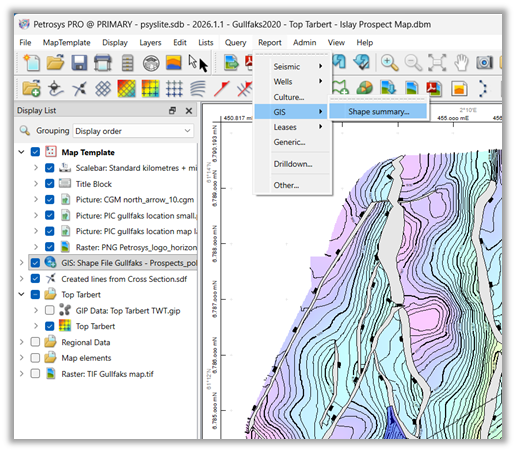
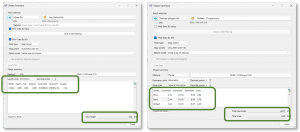
Within Mapping, navigate to: Report → GIS → Shape Summary
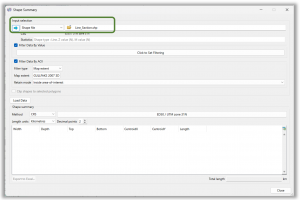
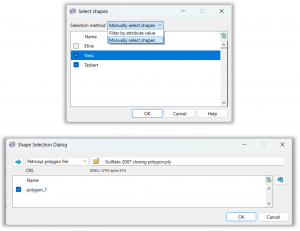
The results appear in the lower section of the panel, with total values clearly presented for quick interpretation. The statistics shown depend on the type of GIS data selected.
Export to Excel
Once generated, statistics can be exported directly to Excel.
This allows results to be:
All while maintaining consistency with your PRO mapping environment.
Shape Summary is designed as a practical enhancement to day-to-day mapping workflows.
Whether you are:
The ability to generate GIS shape statistics in PRO improves speed, clarity and repeatability.
For more information, refer to the PRO Help documentation, downloadable workflow PDFs, or short videos available via the Petrosys Group Client Portal.
PRO v.2026.1.1 continues to deliver practical enhancements that strengthen mapping, analysis and technical decision-making. Read more in the full release notes

Preparing a UK NDR submission involves more than transferring files. From seismic format compliance to metadata validation, we outline the key challenges companies face and the structured workflow required to...